
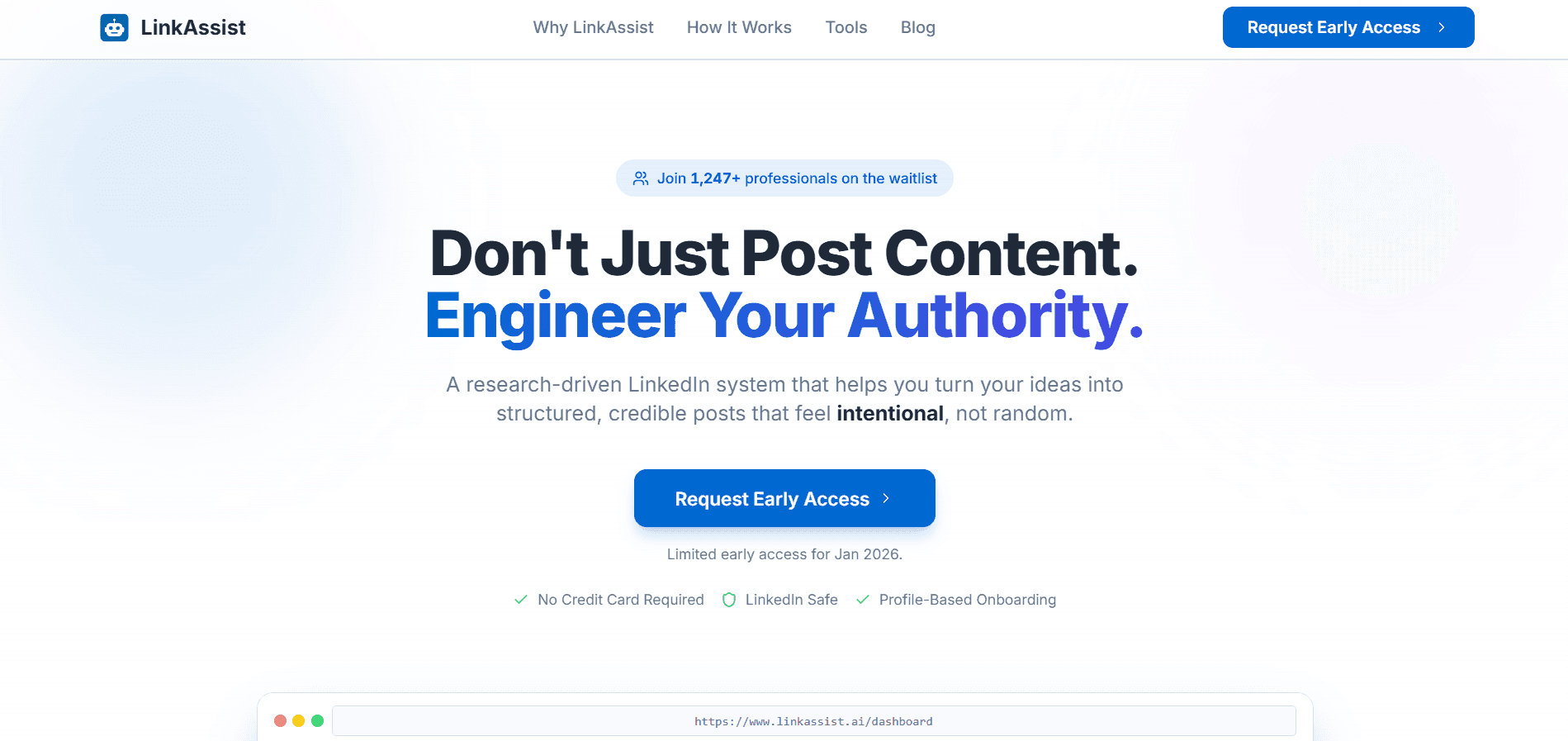
Consistent LinkedIn posting builds reach and inbound opportunities, but writing every post from scratch causes burnout. LinkAssist is an AI LinkedIn content automation platform that matches your voice, helps you draft and schedule posts, and supports campaign-based publishing with human approval. The point is sustainable consistency—content that sounds like you without spending hours each day.
- LinkedIn rewards consistency more than occasional viral posts, but daily drafting is what burns people out.
- Generic AI posts sound polished and forgettable; style/voice matching is what keeps content authentic.
- LinkAssist supports single-post creation and campaign mode with review-before-publish workflows.
- Smart scheduling and performance tracking make regular posting sustainable for founders, sellers, and consultants.
- You keep final edit control—AI drafts; you approve what goes live.
How to Build a Powerful LinkedIn Presence Without Burning Out - The Complete Guide to Smarter Content Creation with LinkAssist
Table of Contents
- Part 1: Why LinkedIn Consistency Matters More Than Ever
- Part 2: The Real Problem With LinkedIn Content Creation
- Part 3: What Is LinkAssist and How Does It Work?
- Part 4: Features That Actually Make a Difference
- Part 5: Who Is LinkAssist Built For?
- Part 6: Pricing That Respects Your Budget
- Part 7: Does AI Content Actually Work on LinkedIn?
- Part 8: Your Data, Your Content, Your Control
- Part 9: Getting Started in Under 15 Minutes
- Part 10: Frequently Asked Questions
Part 1: Why LinkedIn Consistency Matters More Than Ever
Let's be honest about something.
You know LinkedIn matters. You've seen those founders and creators who post every single day, rack up thousands of impressions, and magically turn their LinkedIn profiles into lead-generating machines. You've probably thought, "I should be doing that too."
And then reality hits.
Between running your business, managing clients, sitting through back-to-back meetings, and trying to have some semblance of a personal life - writing a thoughtful LinkedIn post every day feels like an impossible ask. So you post once, maybe twice, feel good about it for a week... and then go silent for three months.
Sound familiar? You're not alone. Most professionals know they should be active on LinkedIn, but very few manage to stay consistent. And the ones who do? They've usually found a smarter way to do it.
That's exactly why we built LinkAssist - the only LinkedIn assistant you'll ever need. Effortless. Intelligent. Unstoppable.
Here's a number that might surprise you: eight people get hired every minute on LinkedIn. Every. Single. Minute.
But LinkedIn isn't just a job board anymore. Over the past few years, it's quietly become the most powerful platform for professional branding, thought leadership, and organic business growth. Unlike Instagram or Twitter (or X, or whatever it's called this week), LinkedIn rewards genuine expertise and professional storytelling.
Think about it. When was the last time you Googled someone before a meeting and ended up on their LinkedIn? Probably yesterday. Your LinkedIn profile is your digital first impression, and your content is what keeps people coming back.
The challenge is that LinkedIn's algorithm - like every other social platform - rewards consistency. Posting once a month won't cut it. The professionals who see real results are the ones showing up regularly with content that resonates with their audience.
And that's where most people fall off the wagon. Not because they don't have interesting things to say, but because the process of saying it consistently is exhausting.
Part 2: The Real Problem With LinkedIn Content Creation
Let's break down what actually goes into a single LinkedIn post.
First, you need a topic - something relevant to your industry, your audience, and ideally something you have a personal take on. Then you need to draft the post, which means finding the right hook, building a narrative, and ending with a call to action that doesn't feel forced.
After that, you need to decide when to post it. Morning? Afternoon? What time zone is your audience in? Should you use a carousel or a text post? An image or no image?
And once you've done all of that for one post, you need to do it again tomorrow. And the day after. And the day after that.
Multiply that by weeks and months, and it's no wonder that even the most motivated professionals burn out on LinkedIn content creation. The problem isn't a lack of ideas or willpower - it's that the execution demands are simply too high for most working professionals.
This is exactly the kind of problem that smart automation was designed to solve.
Part 3: What Is LinkAssist and How Does It Work?
LinkAssist is an AI-powered LinkedIn content automation platform that takes the heavy lifting out of creating, scheduling, and publishing content on LinkedIn. But here's what makes it different from the dozen other "AI writing tools" you've probably seen - LinkAssist doesn't just generate generic posts. It creates content in your unique voice.
That distinction is crucial, and it's worth spending a moment on.
The "Voice Problem" With Most AI Content Tools
You've probably tried ChatGPT or some other AI tool for writing LinkedIn posts. And you've probably noticed that the output sounds... fine. Professional. Polished. But also generic. It doesn't sound like you.
The result? Your audience can tell. They scroll past because the post feels like it could've come from anyone. There's no personality, no distinctive point of view, no reason to stop and engage.
LinkAssist solves this with what we call Style Matching. When you connect your LinkedIn account, LinkAssist analyzes your previous posts using advanced vector matching technology (powered by Pinecone). It studies your tone, your vocabulary, your sentence structure, the way you open posts, the way you close them - all the subtle patterns that make your writing recognizably yours.
So when LinkAssist generates a post for you, it doesn't sound like AI wrote it. It sounds like you wrote it on your best day, when you had plenty of time and creative energy.
Step-by-Step: How It Works
Step 1: Connect Your LinkedIn Account Sign in with LinkedIn through our secure OAuth authentication. Your credentials are never stored, and the connection uses LinkedIn's official protocols. Whether you have a personal account, Premium, Sales Navigator, or Recruiter - LinkAssist works with all of them.
Step 2: Personalized Onboarding Tell us a bit about yourself. Your industry, your audience, your content goals. This context helps our AI understand what matters to you and who you're trying to reach. We also detect your timezone automatically so your posts go out at the right time for your audience.
Step 3: Profile Analysis and Style Training This is where the magic happens. LinkAssist scrapes your existing LinkedIn posts (with your permission, of course) and feeds them into our AI engine. Using Pinecone's vector database, we create a detailed "style fingerprint" that captures how you communicate. This fingerprint evolves as you create more content, getting better at matching your voice over time.
Step 4: Create Content Your Way You have two main options here, and both are designed to fit different workflows.
- Single Post Creation: Give LinkAssist a topic, and it generates a complete LinkedIn-optimized post in seconds. Want an AI-generated image to go with it? It can do that too. Prefer to upload your own visual? No problem. Edit as much or as little as you want, then schedule it or publish it immediately.
- Campaign Mode: This is for the professionals who want to truly systematize their LinkedIn presence. Set up a campaign with your content themes, choose your posting frequency (daily, weekdays, custom schedule), and let LinkAssist handle the rest. It automatically generates fresh content 6 hours before each scheduled post, sends you an approval notification via email, and publishes once you give the green light.
Step 5: Smart Scheduling Not all posting times are created equal. LinkAssist's scheduling engine analyzes when your audience is most active and suggests optimal posting times. You can schedule posts days, weeks, or even months in advance. Once scheduled, our backend queue (powered by Upstash QStash) handles the rest - your posts go live exactly when they should, even if you're asleep.
Step 6: Track and Improve After your posts go live, LinkAssist tracks performance through built-in analytics. See what's working, what's not, and use those insights to refine your strategy. Over time, the AI gets better at generating content that resonates with your specific audience.
Part 4: Features That Actually Make a Difference
Let's go deeper into the features that set LinkAssist apart. Not the marketing-speak version - the real, practical stuff.
AI-Powered Content Generation
LinkAssist uses a dual-AI pipeline. OpenAI's GPT-4o-mini handles the heavy lifting of content creation, while Google Gemini powers topic generation and image creation. This combination means you're not relying on a single AI model - you're getting the best capabilities of multiple systems working together.
But the real secret sauce is the style matching layer we mentioned earlier. Every piece of content passes through your personal style fingerprint before being delivered to you. The result? Posts that are topical, well-structured, and unmistakably you.
AI Image Generation
We've all seen those LinkedIn posts with stunning custom visuals that stop the scroll. With LinkAssist, you can generate professional LinkedIn-style images automatically. Our integration with Google Gemini creates visuals that match your post's content and your personal brand aesthetic. All images are stored and optimized through Cloudinary, so they look crisp on every device.
Pro users get up to 30 AI-generated images per month, plus 10 custom avatar images. That's more than enough for a daily posting cadence with custom visuals.
Campaign Automation
The campaign system is arguably LinkAssist's most powerful feature. Here's why - consistency on LinkedIn isn't about having one viral post. It's about showing up regularly, week after week, with valuable content. Campaigns let you plan content themes in advance and then put the entire execution on autopilot.
Set your campaign parameters - topics, frequency, date range - and LinkAssist generates content automatically. Each post is prepared 6 hours before its scheduled time, giving you a comfortable window to review and approve it. If you're happy, approve it with a single click from your email. If you want changes, hop into the dashboard and edit before it goes live.
The approval workflow means you always have final say over what gets published. It's automation with a human safety net.
Chrome Extension
LinkAssist isn't just a web app. Our Chrome extension brings AI-powered features directly into your LinkedIn experience. Get intelligent comment suggestions when you're engaging with other people's posts, access quick content ideas without leaving LinkedIn, and manage your posting queue on the fly.
The extension integrates seamlessly with your LinkAssist account, so everything stays in sync. It's like having a content assistant sitting next to you while you browse LinkedIn.
Robust Scheduling Engine
Behind the scenes, LinkAssist uses enterprise-grade scheduling infrastructure. Your posts are queued through Upstash QStash with Redis caching, ensuring reliable delivery even during peak times. Whether you're scheduling a single post or managing a month-long campaign across multiple time zones, the system handles it smoothly.
Part 5: Who Is LinkAssist Built For?
We designed LinkAssist for real professionals with real constraints on their time. Here are the people who get the most value from the platform.
Founders and Entrepreneurs
You're building a company, and you know that your personal brand on LinkedIn can drive awareness, attract talent, and generate inbound leads. But between investor meetings, product development, and team management, content creation keeps falling to the bottom of your to-do list. LinkAssist lets you maintain a consistent, professional LinkedIn presence without carving out hours from your already-packed schedule.
Sales Professionals
Social selling on LinkedIn is one of the most effective ways to build relationships with prospects. But crafting personalized, engaging content takes time that could be spent in conversations. LinkAssist helps you create a steady stream of authority-building content that warms up your audience, so when you do reach out, you're not a stranger - you're someone they've been reading and learning from.
Marketers and Content Creators
You already understand the value of LinkedIn content. Your challenge is scale. You might be managing content for yourself and multiple team members, or you're looking to maintain a high posting frequency without sacrificing quality. LinkAssist's campaign system and batch content generation make it possible to produce more content without proportionally more effort.
Consultants and Freelancers
Your LinkedIn profile is essentially your storefront. Consistent, valuable content is what keeps clients coming back and referrals flowing in. But when you're deep in client work, marketing yourself takes a backseat. LinkAssist ensures your LinkedIn stays active even during your busiest periods.
Thought Leaders and Speakers
You have plenty of ideas and expertise to share, but translating those into well-crafted LinkedIn posts requires a specific kind of effort. LinkAssist captures your voice and turns your knowledge into polished, share-worthy content that reinforces your position as an authority in your field.
Part 6: Pricing That Respects Your Budget
One of the things we feel strongly about at LinkAssist is making professional-grade tools accessible. Here's how our pricing works.
Free Plan - ₹0/month
Perfect for beginners who want to explore what LinkedIn content automation looks like. You get 5 posts per month, 1 campaign, basic content ideas, and direct LinkedIn posting. There's also community support and a 7-day Pro trial for new users so you can experience the full platform before committing.
Pro Plan - ₹1,800/month (or year - save over 44%)
This is where LinkAssist really shines. 50 posts per month, 5 campaigns, unlimited content ideas, 30 AI-generated images, 10 custom avatars, advanced scheduling with post automation, all AI features, advanced analytics, and email support. The yearly plan works out to just ₹833/month, which is significantly less than what most people pay for a single freelance LinkedIn post.
Enterprise - Custom Pricing
For larger organizations that need unlimited everything - posts, campaigns, content ideas, image generation - plus custom integrations, priority support, a dedicated account manager, white-label solutions, and API access.
All pricing is GST-compliant for the Indian market, and our payment processing through Razorpay ensures secure, hassle-free billing.
Part 7: Does AI Content Actually Work on LinkedIn?
This is probably the question on your mind, and it's a fair one. Let's address it directly.
The short answer is - yes, when done right. And "done right" is the key phrase.
Generic AI content doesn't work well on LinkedIn. The platform's audience is sophisticated enough to spot cookie-cutter posts, and the algorithm punishes content that doesn't generate engagement. This is precisely why most people who try using ChatGPT directly for LinkedIn posts end up disappointed.
But AI content that's personalized to your voice and optimized for the platform performs remarkably well. Here's why.
Consistency beats virality. LinkedIn's algorithm rewards regular posting more than occasional viral hits. When you post consistently, the algorithm shows your content to more people over time. LinkAssist makes daily or near-daily posting sustainable, which is half the battle.
Quality is maintained, not sacrificed. Because LinkAssist matches your personal writing style, the content doesn't feel artificial. Your audience engages with it the same way they'd engage with something you wrote from scratch - because, in a very real sense, the AI is writing as you.
You always have the final edit. LinkAssist isn't replacing your judgment. It's doing the first draft. You review, refine, and approve every single post before it goes live. Think of it as having a talented ghostwriter who really understands how you think and communicate.
The professionals who see the best results with LinkAssist use it as a starting point, not an endpoint. They let the AI handle the grunt work of drafting and scheduling, then add their personal touches where it matters most.
Part 8: Your Data, Your Content, Your Control
We know that connecting an AI tool to your professional LinkedIn account requires trust. Here's how we earn it.
You own your content. Everything LinkAssist generates for you belongs to you. We don't use your content to train our models, and we don't share it with anyone.
Your data is encrypted. We use AES-256-GCM encryption for sensitive data, JWT-based secure session management, and LinkedIn's official OAuth protocol for authentication. Your LinkedIn credentials are never stored on our servers.
Privacy compliance. LinkAssist is fully compliant with India's DPDP Act 2023 and follows GDPR principles. We require explicit consent before any data processing, and you can delete your data at any time.
Secure payments. All payment processing goes through Razorpay with signature verification. Invoices are generated automatically with proper GST calculations, and you can manage your subscription entirely from your dashboard - including cancellation at any time.
Part 9: Getting Started in Under 15 Minutes
No, really. Here's all you need to do.
- Go to linkassist.ai and click "Get Started."
- Sign in with your LinkedIn account. It takes about 30 seconds.
- Complete the quick onboarding. Tell us about your industry, audience, and goals.
- Let LinkAssist analyze your existing posts. This happens automatically and takes a couple of minutes.
- Create your first post or set up your first campaign. The AI generates content for you immediately.
- Review, edit if needed, schedule or publish. That's it.
From signup to your first scheduled post, the entire process typically takes less than 15 minutes. And once your campaign is running, you'll spend maybe 5-10 minutes a day reviewing and approving content - compared to the 30-60 minutes it would take to create each post from scratch.
Part 10: Frequently Asked Questions
How long does it take to launch my first campaign? Less than 15 minutes. Connect your LinkedIn account, set your content parameters, and launch. Our step-by-step setup makes everything intuitive.
Can I run multiple campaigns at the same time? Absolutely. You can manage multiple campaigns from a single dashboard, each with its own themes, frequency, and target dates.
Does LinkAssist write the posts, or do I? LinkAssist creates the first draft based on your style and preferences. You have full editorial control to accept, modify, or completely rewrite any content before it's published.
Will my audience know it's AI-generated? No - and that's kind of the whole point. Because LinkAssist matches your personal writing style, posts feel authentic and recognizably yours. Most users report that even close connections can't tell the difference.
What LinkedIn account types are supported? All of them - Personal, Premium, Sales Navigator, and Recruiter.
Can I cancel anytime? Yes. No long-term contracts, no cancellation fees. You can cancel directly from your dashboard whenever you want.
Is there a mobile app? LinkAssist currently works best on desktop and tablet web browsers. A mobile app for monitoring and basic management is on the roadmap.
The Bottom Line: Work Smarter on LinkedIn, Not Harder
Here's what it comes down to.
LinkedIn is one of the highest-ROI platforms for professional growth, lead generation, and personal branding. But the professionals who benefit most from it are the ones who show up consistently - and for most of us, consistency is the hardest part.
LinkAssist doesn't replace your expertise, your perspective, or your professional judgment. What it does is handle the time-consuming parts of content creation so you can focus on what actually matters - building relationships, closing deals, and growing your career or business.
If you've been meaning to "get serious about LinkedIn" for months (or years) and keep putting it off because of how much time it takes, this might be the nudge you need.
Start your free trial at linkassist.ai. No credit card required. Seven days of full Pro access. See for yourself whether it changes the game.
Because here's the thing - the best time to start building your LinkedIn presence was a year ago. The second-best time is today.
LinkAssist is an AI-powered LinkedIn content automation platform built for professionals who value their time and their authenticity. Create, schedule, and publish LinkedIn content that sounds like you - without spending hours doing it yourself. Learn more at linkassist.ai.
Frequently asked questions
What is LinkAssist?
LinkAssist is an AI-powered LinkedIn content automation platform that helps you create, schedule, and publish posts in your own voice—so you stay consistent without writing every post from scratch.
Will my audience know the posts are AI-generated?
LinkAssist uses style matching from your past posts so drafts sound like you. You still review and edit before publish, which keeps the feed authentic rather than generic AI copy.
How long does it take to get started?
Most people can connect LinkedIn, complete onboarding, and schedule a first post or campaign in under about 15 minutes, then spend a few minutes a day reviewing approvals.